There's a particular kind of friction that builds up over years of trying to capture thoughts on the move.
I've tried writing notes by hand – not really suited to it. Typing works well enough at a desk, but it's not a natural fit for a quick thought while walking or a fleeting idea between tasks. I experimented with other tools that let you record your thoughts directly, but something was always missing: a real connection to the tools I use for the actual work.
That gap is what prompted me to buy the Plaud Note, a dedicated AI voice recorder, which arrived last week.
This isn't a full review. A week of use – a few working days and a weekend – doesn't qualify me for that. What I do have are honest first impressions from someone who's been deliberately trying to work out where this fits into a real workflow. The short answer: better than I expected, and in some ways more quickly useful than I'd hoped.
TL;DR
- Hardware setup is straightforward; the Plaud Note is compact, well-made, and starts working quickly.
- The Claude integration via the MCP server is seamless – record something, and it's available in Claude within minutes, including a transcript and an AI-generated summary, with no manual steps.
- Recording an online meeting on desktop with the Claude desktop app works quietly in the background, with no bot joining your meeting.
- Long battery life – 30 hours continuous recording and 60 days standby time.
- The dedicated device earns its keep over a phone app through physical simplicity, audio quality, and tight AI integration.
- Plaud also works with other LLMs such as ChatGPT - it's not limited only to Claude.
- Early verdict for communicators who use Claude: genuinely useful from day one.
Getting started
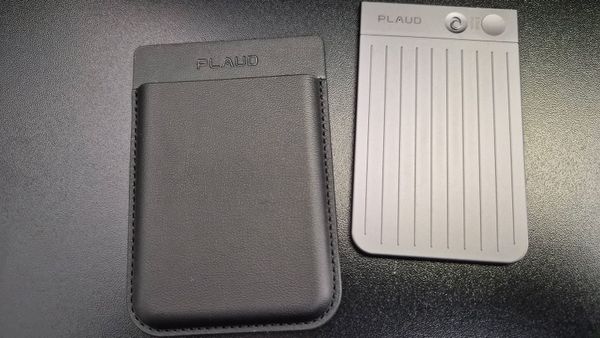
The device measures roughly 86 × 54 × 3mm – about the size of a credit card, though a little thicker – and weighs just 30 grams. It's available in four colours (I have the black version) and comes with a magnetic case, a magnetic ring for attaching to a phone or a phone case (helpful if you don't have MagSafe), and a USB-C charging cable. Battery life is rated at up to 30 hours of continuous recording, with up to 64 GB of local storage. In practice, it fits easily in a shirt pocket.
Setting up the hardware was easy. The device itself is compact and well-made. If you have a MagSafe connection on your smartphone, the black magnetic case for the Note will grip your phone, ensuring a tight connection, and the recordings you make with the Note will be automatically uploaded to your Plaud account in the cloud.
If you plan to do interviews or participate in meetings with your phone, it's also how you will connect and record. Recording with the phone isn't my main intended use, but it was useful for understanding the full scope of what the device can do.
Where I briefly stumbled was simply in knowing what to do next. That was entirely on me: there's a clear and well-structured "how to use Plaud" guide on the Plaud website that covers everything you need for the first steps and beyond. Once I'd read it, things moved quickly.
One practical consideration worth mentioning is recording time. Plaud operates on a subscription model for its AI transcription. The free Starter plan includes 300 minutes a month – enough to get started and assess whether the device suits your workflow. The next tier, the Pro plan, costs £8.33 a month when paid annually and gives you 1,200 minutes.
I'm currently on the Starter plan, which has been more than sufficient for a week of initial use, though I'll keep an eye on it as usage grows. I've also got an additional 900 free minutes from Plaud in a promotion they were running when I bought my Note. There are other plans, too; full details are on the Plaud website.
The Claude integration
This was the feature I was most keen to get working, and it's where the Plaud Note earns its keep for my purposes. The integration works via an MCP server – a connector that gives Claude permission to access my Plaud account, including all recordings, transcripts, and AI-generated summaries. The instructions on the Claude website differed slightly from what I encountered in practice when setting up the custom connection, but they were straightforward once I understood what was actually required.
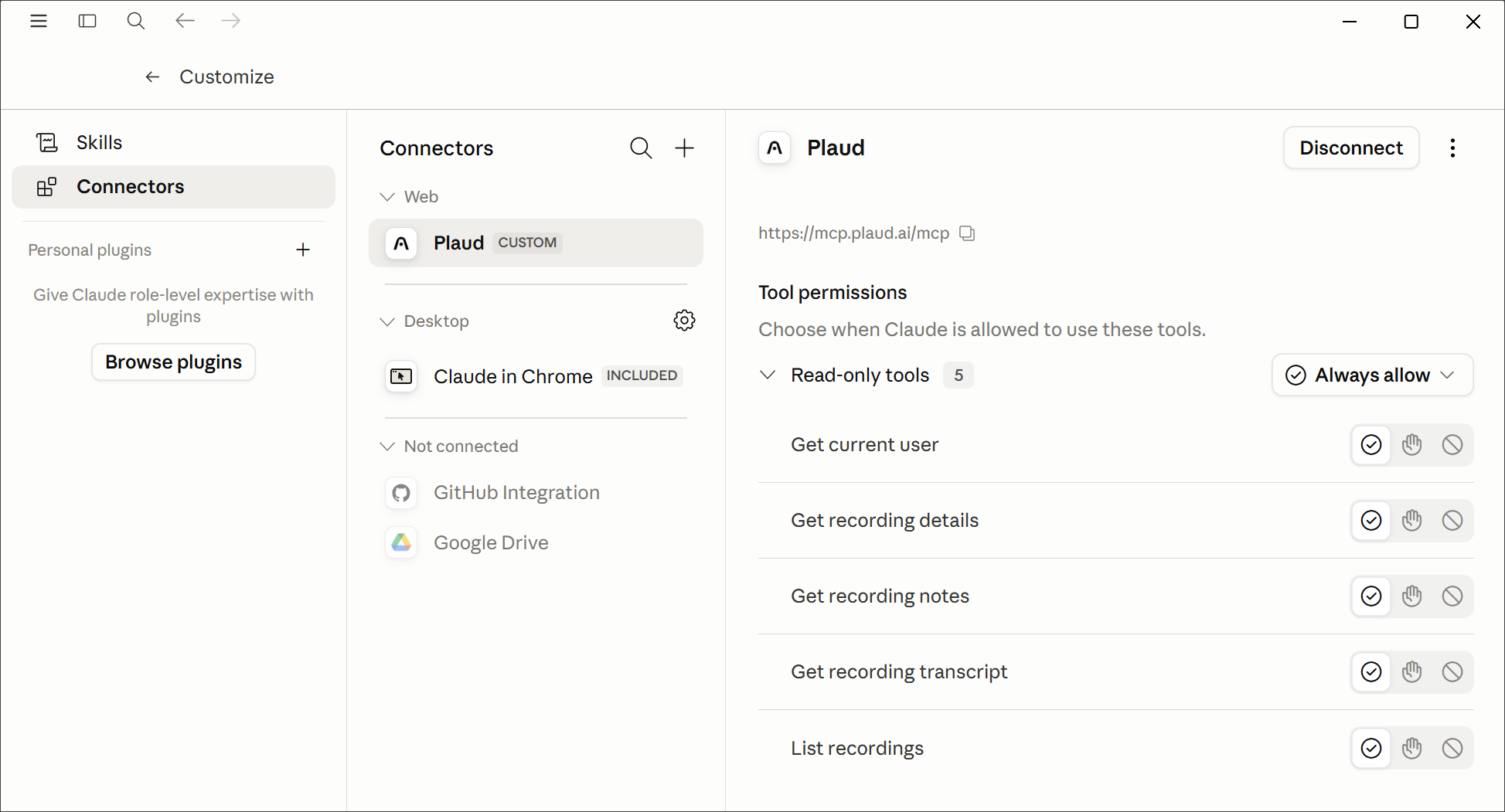
The result is a workflow that feels genuinely seamless. I record something, stop, and the device syncs the audio to my Plaud cloud account automatically. Within minutes – sometimes seconds – the recording, a transcript and an AI-generated summary are available.
And because Claude has access to my account, I can open a new conversation and simply ask it to pull a specific recording and do something with it. No file transfers, no copying and pasting, no intermediate steps. This post is itself a product of that process: I recorded a brain dump, and asked Claude to outline a post that I developed to create what you're reading now.
That auto-sync workflow is, to borrow Claude's own description of it, genuinely impressive. It's not like anything else I've tried.
Recording a meeting
One thing I wanted to test before settling on my impressions was how the Plaud Note handles a real meeting. I recorded a Google Meet call – about 45 minutes – using the desktop app on my Windows PC rather than the phone. Once I'd clicked the meeting link, recording started automatically.
I've since changed that setting to manual, because on that first occasion, it started before I'd had a chance to ask the other person's permission.
That's important: I did ask, they agreed, and we went ahead – but I'd rather be in control of the moment recording begins, and the manual option is there.
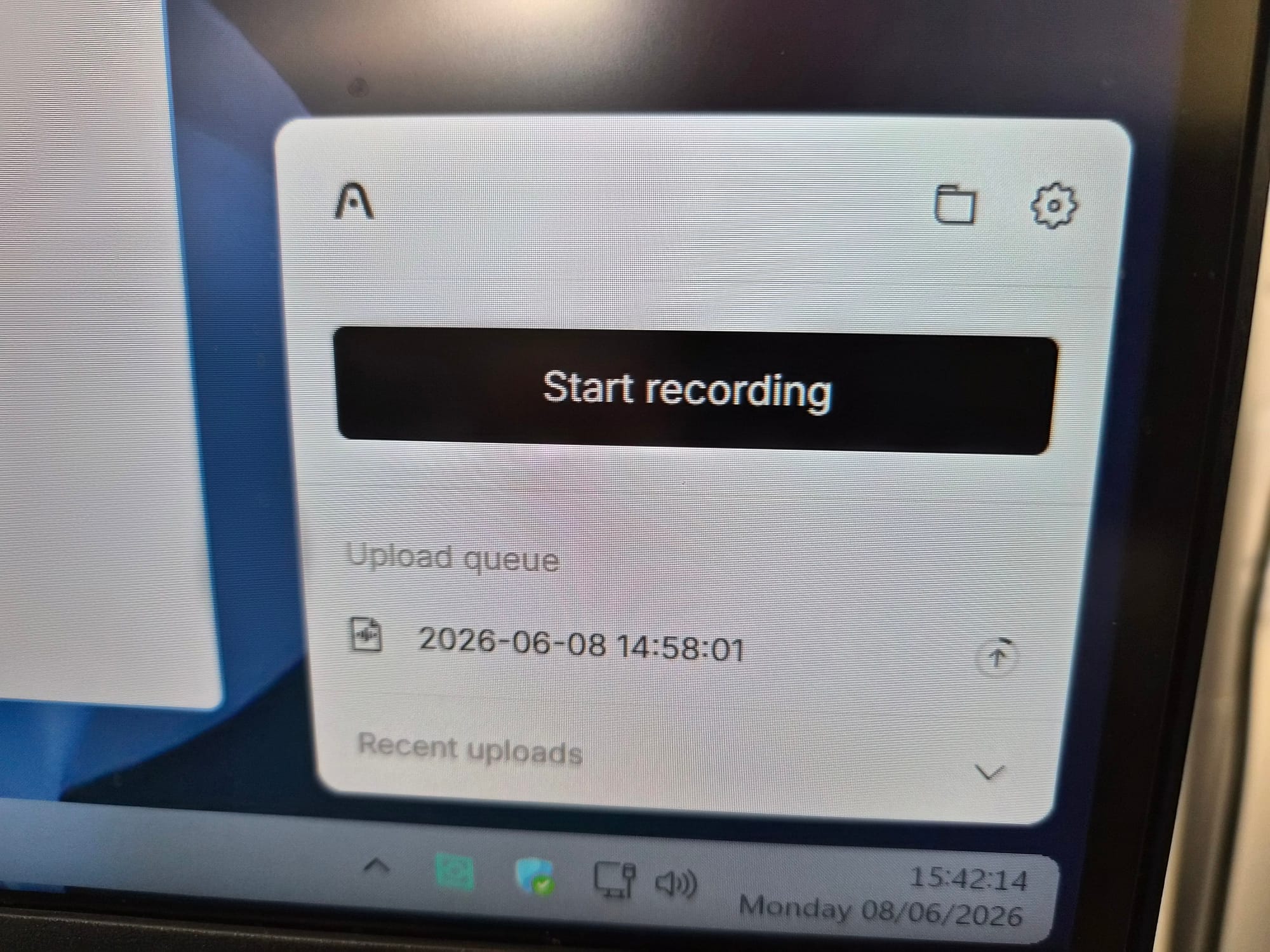
What struck me was how different this is from recording-bots like Otter. There's no bot joining your call, no announcement in the meeting, no third-party presence visible to other participants. The Plaud app records locally on your computer, quietly and without fanfare. It records both the incoming audio and your voice, even if you're wearing wired or wireless headphones.
Once the call ends, the app syncs the audio to your Plaud cloud account. The AI processes the audio to generate a transcript (available in over 112 languages), a structured meeting summary, mind maps, and actionable items.
The recorded audio quality is excellent, and the transcript and AI-generated summary were ready in under four minutes once the meeting ended.
For anyone concerned about the ethics of recording conversations, the right thing to do is always to ask. The device makes it easy to record without announcement, which puts the responsibility squarely on the user to be transparent. I'll be doing it manually from here and asking permission every time.
Why a dedicated device?
A fair question came up in the comments to my LinkedIn post last weekend when I shared a photo of the Plaud Note shortly after it arrived: why a dedicated device? Why not just use a recording app on your phone?
It's a reasonable challenge. A few things inform my thinking. A dedicated device with a real physical button is simpler and faster than unlocking a phone, finding an app, and starting a recording. The hardware is designed specifically for audio capture, with a three-metre range that seems to handle ambient environments well. And critically – at least for my use case – the tight integration with Claude is baked in as a first-class feature, not something bolted on.
The LinkedIn thread was illuminating in other ways, too. Several people said they'd been using Plaud for a while and found it valuable. Others raised practical questions about use cases, particularly in professional contexts such as conferences and client meetings.
One recurring theme was the value of having a dedicated device for capturing thoughts that might otherwise be lost – the kind of fleeting ideas or rough-draft reasoning that's easy to lose if you're relying on memory or a cumbersome recording setup. A few people mentioned they were considering it; several more were clearly already converts.
Where this fits for me
My primary use isn't for meeting transcription – it's for capturing thoughts and enabling Claude to make something of them. I've always found that talking through an idea helps me understand it better than writing it down, but until now there hasn't been a frictionless way to turn that spoken thinking into something usable.
The Plaud Note connected to Claude changes that.
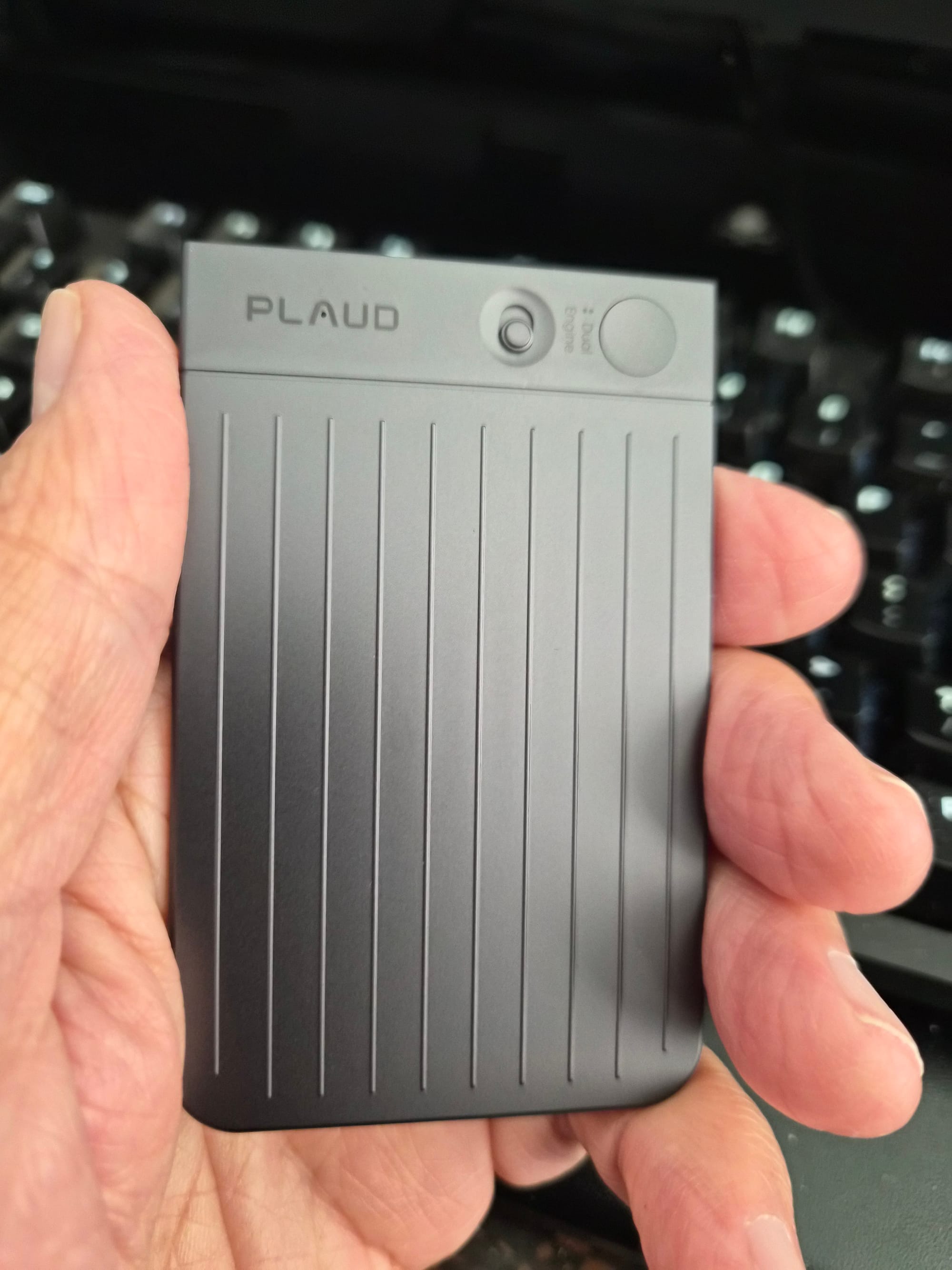
The workflow I'm settling into is simple: record a brain dump, let it sync, go to Claude and ask it to do something with the transcript. From that point, it's the same iterative process I'd use with any other input – editing, shaping, refining. The difference is that the starting point is my own spoken thinking rather than a blank document.
There's lots more to say about the Note (different templates for summaries, for instance – a very useful feature), but for now, that's all! If you have specific questions you want to ask, drop them in the comments here or post them on LinkedIn.
I'll keep using my Note and will share more considered thoughts once I've had it for longer. For now: very impressed, and genuinely useful from day one. Highly recommended.
Information: