

I winced when I read what happened to Marcel Bucher.
Not because it was dramatic – although losing two years of academic work in a single click certainly qualifies – but because it served as a blunt reminder of something we all know, yet too easily forget: if the work matters, you are responsible for protecting it.
Bucher, a professor at the University of Cologne, had been using ChatGPT Plus as a daily assistant. He wasn’t naïve about its limits. He didn’t treat it as a source of truth. What he relied on was continuity – the sense that conversations, drafts, and structures would still be there tomorrow, and next month, and next year.
Then he switched off ChatGPT’s data consent setting. Instantly, everything disappeared. Grant drafts, teaching materials, lecture structures, publication revisions – gone. No warning. No undo. No recovery. OpenAI later confirmed that once deleted, the data could not be restored.
And crucially, he had no local backups.
There has been plenty of commentary questioning how any professional could go two years without backing up their work. That criticism may sound harsh, but it points to an uncomfortable truth.
ChatGPT can give a false sense of security.
It feels stable. It remembers context. It lets you pick up where you left off. Over time, it starts to resemble a workspace rather than what it actually is.
But none of that changes the fundamentals.
ChatGPT is not a filing system.
It is not an archive.
It is not a backup.
From OpenAI’s perspective, nothing went wrong. The deletion aligned with its “privacy by design” approach. Disable data sharing, and your data is erased, permanently. That may be defensible from a privacy standpoint, but it does not absolve users of responsibility.
And that is the real lesson here.
So here’s the practical takeaway.
If you have never backed up your ChatGPT work, do it now.
- Go to Settings > Data controls and export your data. Put a reminder in your calendar to do this regularly – once a month or every few weeks is a sensible starting point, depending on how you use ChatGPT. Treat it as routine maintenance, not an optional extra.
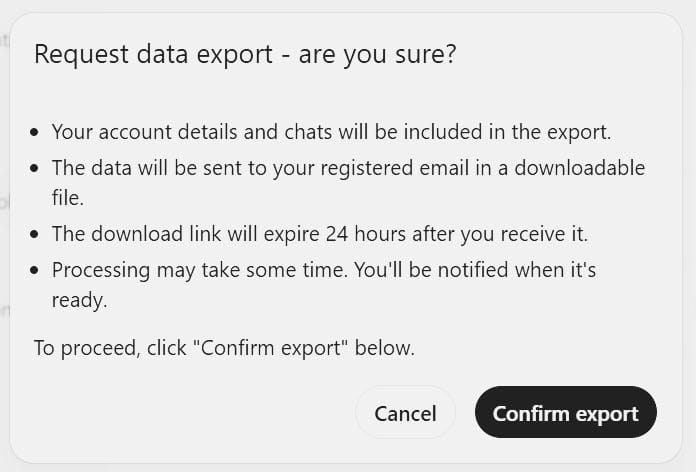
- For anything significant, don’t rely on a future export. When you finish an important session, copy it out and store it somewhere you control. At the simplest level, highlight everything in a chat, copy it, and paste it into Word, say, or a markdown file editor (Typora is a good one). Currently, ChatGPT does not allow you to export individual chats, so if you want that level of control, you will need to use a third-party tool. There are a few; the one I use is a Chrome extension called ChatGPT Exporter.
None of this is complicated. But it does require intent.
Bucher deserves credit for writing openly about what happened. His account is not an excuse or a complaint – it’s a warning, offered at some personal and professional cost.
The rest of us should take it seriously, not smugly. Backups are boring. Until the day they aren’t.
Sources:
Marcel Bucher, When two years of academic work vanished with a single click, Nature, 22 January 2026
Victor Tangermann, Scientist horrified as ChatGPT deletes all his “research”, Futurism, 24 January 2026